The Prompt Says Delete Playwright. Playwright Says Don't.
Your agent wants to rm -rf its own browser. Update Chrome instead and keep your test suite.
A prompt is going around that tells your coding agent to delete Playwright's browsers, rewrite its MCP config, and audit every Electron app on the disk.
Here is the short version before the long one: update the Chrome or Edge you already use, leave the Playwright caches alone, and touch chromium.launch() only in code you own.
That covers the real bug without breaking your test suite.
The Chrome bug under that prompt is real.
The prompt is 3 jobs taped together with a CVE, and the only thing they share is the scare.
On November 2, 2026, @nisten told people to have their agents delete Playwright now, because 1.64.1 still pointed at an early Chromium 156 and because the sandbox defaults to off.
By November 4 that post had 6,845 likes and 1,864,257 views.
That is a lot of people about to paste a stranger's rm -rf into a chat box.
Playwright answered the next day.
So which part is the agent still allowed to touch?
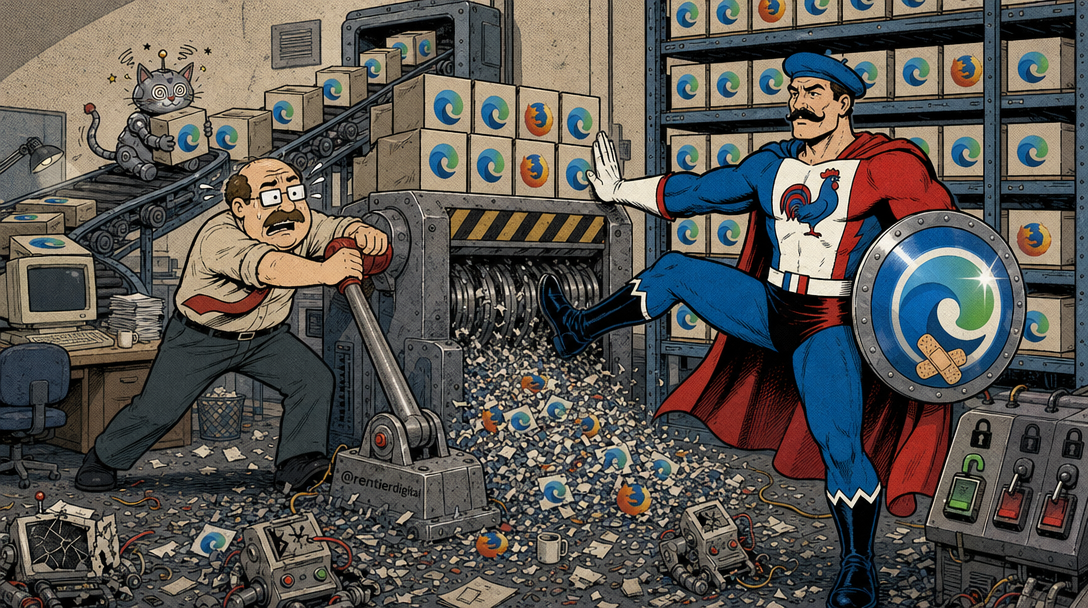
The Order Has 3 Parts
The prompt never asks the agent to read the advisory.
It skips straight to the chores.
First, find every Playwright and Puppeteer browser cache and delete the Chromium builds older than 156.0.8078.73.
Second, edit the Playwright MCP config and add --browser chrome and --sandbox, so the agent uses the system Chrome that updates on its own.
Third, grep every Electron app under AppData and report which ones sit below Electron 43.8.6, 44.10.1, or 45.2.1.
That is a cleanup script wearing a CVE as a hat.
An agent that reads a security paragraph as permission will run it.
It has no reason to hesitate, because the paragraph sounds urgent and the commands are right there.
The same shape showed up when an agent wiped a production database in 9 seconds: the destructive call was available, and the agent took it.
Urgency is not a permission model.
Playwright Answered the Next Day
On November 3, 2026, @playwrightweb posted the correction.
It told people not to delete Playwright, and it said no Playwright package bundles a browser.
It also said agents on Playwright MCP or the Playwright CLI already run the stable Chrome or Edge installed on the machine, with the sandbox on.
The line about the config edit is 5 words long: "No config edit is needed."
Yes, the vendor is the interested party here.
It is also the only party that knows how its own MCP launches a browser, so that line carries weight.
The same post splits the product in 2, and the panic skipped this part.
After playwright install, the test runner downloads Chrome for Testing, pinned to the exact build that release was tested against.
The pin is deliberate.
It keeps a browser update from breaking the suite on one laptop while it stays green on another, a situation every dev knows by its official anthem: "works on my machine."
The trade-off is honest.
That pinned build can miss Chrome security fixes until the next Playwright release, and by default it runs with the sandbox off.
Playwright's rule for it is plain: do not take it out on the hostile web.
For a chromium.launch() you wrote yourself and point at pages you do not control, the post names the two options: channel: 'chrome' and chromiumSandbox: true.
Refusing the delete does not make the pinned build current, though.
The gap still lives in a file the installer reads.
The Pin Is Older Than the Patch
That file is public.
playwright-core 1.64.1 ships a browsers.json that names Chromium revision 1248, browser version 156.0.8078.4, titled Chrome for Testing.
The npm package records the pin, and the binary arrives only when the install runs.
That is what the vendor means by "no package bundles a browser."
Google's stable channel note for October 27, 2026 moved Windows and Mac to 156.0.8078.73 or .74, and Linux to .73.
The note lists 52 security fixes.
One of them is CVE-2026-118306, a use after free in FileSystem.
So 156.0.8078.4 and 156.0.8078.73 share their first three numbers, and only the second one closes that hole.
In browser versions, the last number is where the bodies are buried.
Later in the thread, @nisten said the comparison was based on version numbers, not a test of each CVE, and that Chrome stable had already reached 156.0.8078.79 or .80 on October 29.
The cutoff in the prompt was stale before most people pasted it.
Two more facts frame the risk.
Playwright's API docs say chromiumSandbox defaults to false.
Their Docker page says the image runs as root by default, which disables the Chromium sandbox, and that this setup is not what they recommend for untrusted websites.
A test suite pointed at your own app is the case the pin was built for.
An agent clicking whatever a search result hands it is the other case, and that is where the pin hurts.
Deleting every cached build older than 156.0.8078.73 does not install Chrome's patch into the pin.
It removes the browsers your tests depend on, and the next playwright install happily downloads 156.0.8078.4 again.
You cannot rm -rf your way to a newer version.
The Config Clause Fixes Nothing
The config clause names 2 flags that exist.
The Playwright MCP README documents --browser with the values chrome, firefox, webkit, and msedge.
It documents --sandbox as the switch that enables the sandbox for process types that are normally not sandboxed, and --no-sandbox as the one that disables it for process types that normally are.
The getting-started config in that README passes neither.
On November 3 the people who ship the server said MCP already runs stable Chrome or Edge with the sandbox on.
So the edit buys nothing, and it adds a risk.
--sandbox and --no-sandbox sit 3 characters apart, which is a short distance to leave to an agent paraphrasing a prompt at 2 a.m.
One bad autocomplete, and your hardening patch lowers the shields.
The Electron Clause Is the Only Sane One
Here the prompt gets something right.
Electron 43.8.6, 44.10.1, and 45.2.1 came out on October 30 and 31, 2026, and each one pulls in a Chromium upgrade.
The 45.2.1 release notes say it moves Chromium to 156.0.8078.75, past Google's patched build.
The floors in the prompt match the Electron releases that carry the fix.
That matters because Electron apps bundle their own Chromium.
Updating Chrome does not patch Slack, Discord, or VS Code, and each app has to ship its own update.
Two problems remain.
AppData is a Windows path, so on a Mac the same grep finds nothing and cheerfully reports that all is well.
A security check that returns green because it looked in the wrong folder is the most dangerous kind of green.
The second problem is what the agent can do with the report.
It cannot patch an Electron app it did not build.
The fix is to update each app through its own updater, and that job belongs to you, not to a shell loop.
The only clause that holds up is the one that deletes nothing.
What You Can Hand the Agent
Hand the agent the boring version.
Update the Chrome or Edge already on the machine and let the vendor's updater do its job.
That patches the browser you actually browse with, and the one Playwright MCP uses.
Leave the Playwright MCP config alone unless you can name a reason to change it without quoting this prompt.
Leave the Chrome for Testing caches alone if you want yesterday's test run to match tomorrow's.
If code you own calls chromium.launch() and that browser will open pages you did not write, set the 2 options from the November 3 post: channel: 'chrome' and chromiumSandbox: true.
If that browser runs in Playwright's Docker image as root, their docs say to switch to a separate user and their seccomp profile before the container opens untrusted sites.
Let the agent list your Electron apps if you like, then update the old ones yourself, one updater at a time.
A short instruction grows on its own.
A vague cleanup prompt burned 75% of a quota because "clean this up" had no boundary, and the agent treated the missing boundary as the job.
This prompt has the opposite defect.
The boundary is written down, and it is drawn in the wrong place.
Sometimes the best security patch is Ctrl+C.
Leave the Delete Unrun
The right move is smaller than the prompt.
You update Chrome, and you keep your pinned test browsers.
You leave the MCP config as the vendor ships it.
You harden chromium.launch() only in code you own, and only when that browser leaves your own app.
You update old Electron apps through their own updaters.
Running the prompt as written costs you a missing toolchain, a config diff you did not plan, and a Windows-only report that tells Mac users they are safe.
All of that rests on a cutoff the thread itself had already walked past.
A security thread is not a shell script.
Read it like a changelog, not like a sudo prompt.
Sources
- Playwright, November 3, 2026: https://x.com/playwrightweb/status/2117638981454291252
- @nisten, November 2, 2026: https://x.com/nisten/status/2117322879859568756
- playwright-core 1.64.1 browsers.json: https://cdn.jsdelivr.net/npm/[email protected]/browsers.json
- Chrome stable channel update, October 27, 2026: https://chromereleases.googleblog.com/2026/10/stable-channel-update-for-desktop_0562499947.html
- Playwright BrowserType, chromiumSandbox: https://playwright.dev/docs/api/class-browsertype
- Playwright Docker: https://playwright.dev/docs/docker
- Playwright MCP README: https://github.com/microsoft/playwright-mcp
- Electron 45.2.1 release notes, October 31, 2026: https://github.com/electron/electron/releases/tag/v45.2.1
- Electron 44.10.1 release notes, October 31, 2026: https://github.com/electron/electron/releases/tag/v44.10.1
- Electron 43.8.6 release notes, October 30, 2026: https://github.com/electron/electron/releases/tag/v43.8.6
This is exactly why agents need explicit boundaries around destructive actions. The production CLAUDE.md template in the kit includes rules for investigating before acting, rollback awareness, and preventing silent side effects.
This post may contain affiliate links. If you click them, I might earn a small commission. It costs you nothing and helps me keep shipping quality articles every day for your reading pleasure.